How to Draw an Oval
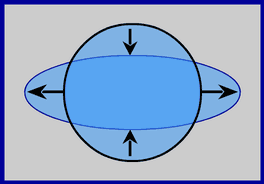
Drawing an oval or ellipse is about as easy as drawing a circle with ActionScript. When drawing a circle you only need one measurement for the circle’s radius but when drawing an oval you need to provide 2. One for the Width of the oval and one for its Height. But before I get too far ahead, let’s take a look at the basic circle drawing code used to draw a simple circle:
function drawCircle(centerX, centerY, radius, sides){
this.moveTo(centerX + radius, centerY);
for(var i=0; i<=sides; i++){
var pointRatio = i/sides;
var radians = pointRatio * 2 * Math.PI;
var xSteps = Math.cos(radians);
var ySteps = Math.sin(radians);
var pointX = centerX + xSteps * radius;
var pointY = centerY + ySteps * radius;
this.lineTo(pointX, pointY);
}
}
//
lineStyle(0);
//
drawCircle(250, 250, 200, 100);
//
The above code should be fairly familiar to you. If it’s not, please read the Basic Circle Drawing Tutorial and then come back to this one.
Changing the circle code to draw an oval is super simple, just provide an X radius and a Y radius then modify our “pointX” and “pointY” vars to use the new values. Take a look:
// Change "radius" to "xRadius" and add "yRadius" argument.
function drawOval(centerX, centerY, xRadius, yRadius, sides){
//
// Change "radius" to "xRadius".
this.moveTo(centerX + xRadius, centerY);
//
for(var i=0; i<=sides; i++){
var pointRatio = i/sides;
var radians = pointRatio * 2 * Math.PI;
var xSteps = Math.cos(radians);
var ySteps = Math.sin(radians);
//
// Change "radius" to "xRadius".
var pointX = centerX + xSteps * xRadius;
//
// Change "radius" to "yRadius".
var pointY = centerY + ySteps * yRadius;
//
this.lineTo(pointX, pointY);
}
}
//
lineStyle(0);
//
// X, Y, W, H, steps.
drawOval(250, 200, 200, 150, 100);
//
The preceding code creates the following SWF:
And that's all there is to it. Getting from circles to ovals is as easy as... PI. 😉
 Comments(9)
 RSS Feeds
Nice, but this is not an oval shape. This is an ellipse. And for ellipse drawing there is a native method in AS3 in the Graphics class.
Look here for more info : http://livedocs.adobe.com/flash/9.0/ActionScriptLangRefV3/flash/display/Graphics.html#drawEllipse%28%29
Hello Erik. Sorry, but you’re wrong. 😉 An oval isn’t a clearly defined geometric shape; it is a term loosely used to describe any shape resembling an egg (egg = ovum = oval). I think it’s pretty fair to say an ellipse resembles an egg and therefore meets the loose requirements of an oval.
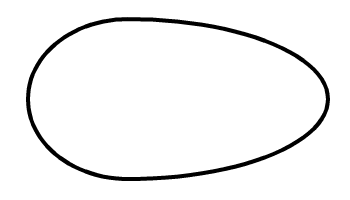
While there may be a native Flash function for drawing ellipses, it cannot be customized to draw a more classical tapered egg shape like the functions in the above tutorial.
function drawEgg(centerX, centerY, xRadius1, xRadius2, yRadius, sides) {
this.moveTo(centerX,centerY+yRadius);
var halfSides = sides/2;
var pointRatio, radians, xSteps, ySteps, pointX, pointY;
for (var i = 0; i<=sides; i++) {
pointRatio = i/sides+.25;
radians = pointRatio*2*Math.PI;
xSteps = Math.cos(radians);
ySteps = Math.sin(radians);
if (i<halfSides) {
pointX = centerX+xSteps*xRadius1;
} else {
pointX = centerX+xSteps*xRadius2;
}
pointY = centerY+ySteps*yRadius;
this.lineTo(pointX,pointY);
}
}
lineStyle(4);
// X, Y, W1, W2, H, steps.
drawEgg(200, 200, 100, 200, 80, 100);
//
The above code produces an oval like the image below.
nice code
thanks alot
Hi, you just saved me a lot of time, thanks!!
p.s. great tutorial
[…] A recent comment on my Oval Drawing Tutorial asks how to “give the appearance that an oval is being drawn slowly”. Hmmm… this sounds like a job for my handy Arc Drawing Function. […]
Thank you so much this is VERY informative!!!
Question: How would I give the appearance that an oval is being drawn slowly?
Thanks!
[…] the transition from drawing circles to drawing ovals is pretty simple but when you need to go from drawing ovals to drawing rotated ovals, you might run into a few problems […]
Hi Ari, Using curveTo tends to limit the code to only “drawing” curves. As the code stands now, it’s pretty easy to modify it to meet other needs (like animating an object along an oval path).
Good, simple and to the point. The circle looks really good, but have you tried implementing this via the curveTo function? Not that I’m favoring that method over this one, just curious about why you chose this approach.